What are nested links?
A nested link occurs when one link is placed inside another. Since browsers don’t support this, Framer displays warnings when nested links are detected.
Examples of warnings:
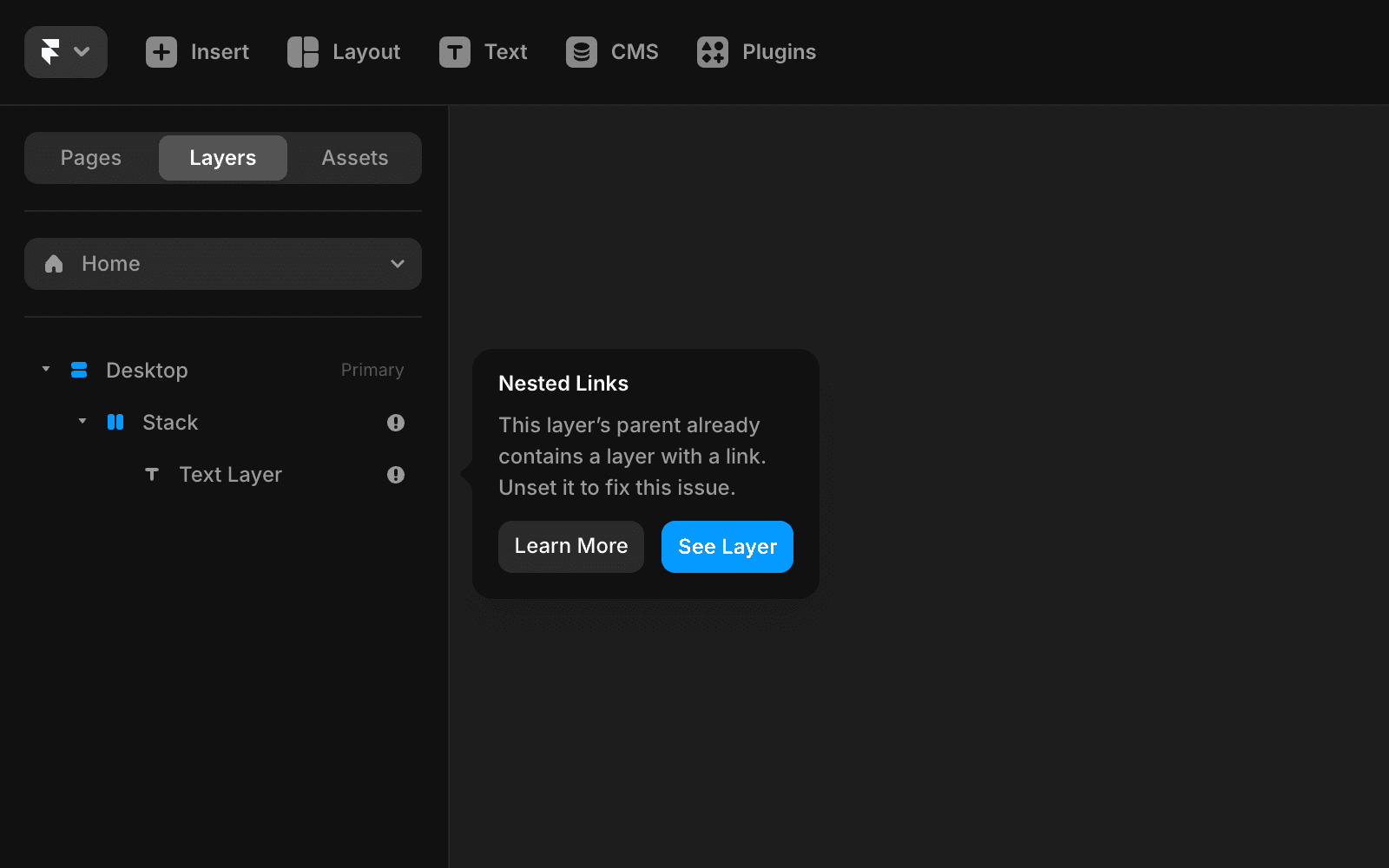
This layer’s parent already contains a layer with a link. Unset it to fix this issue.
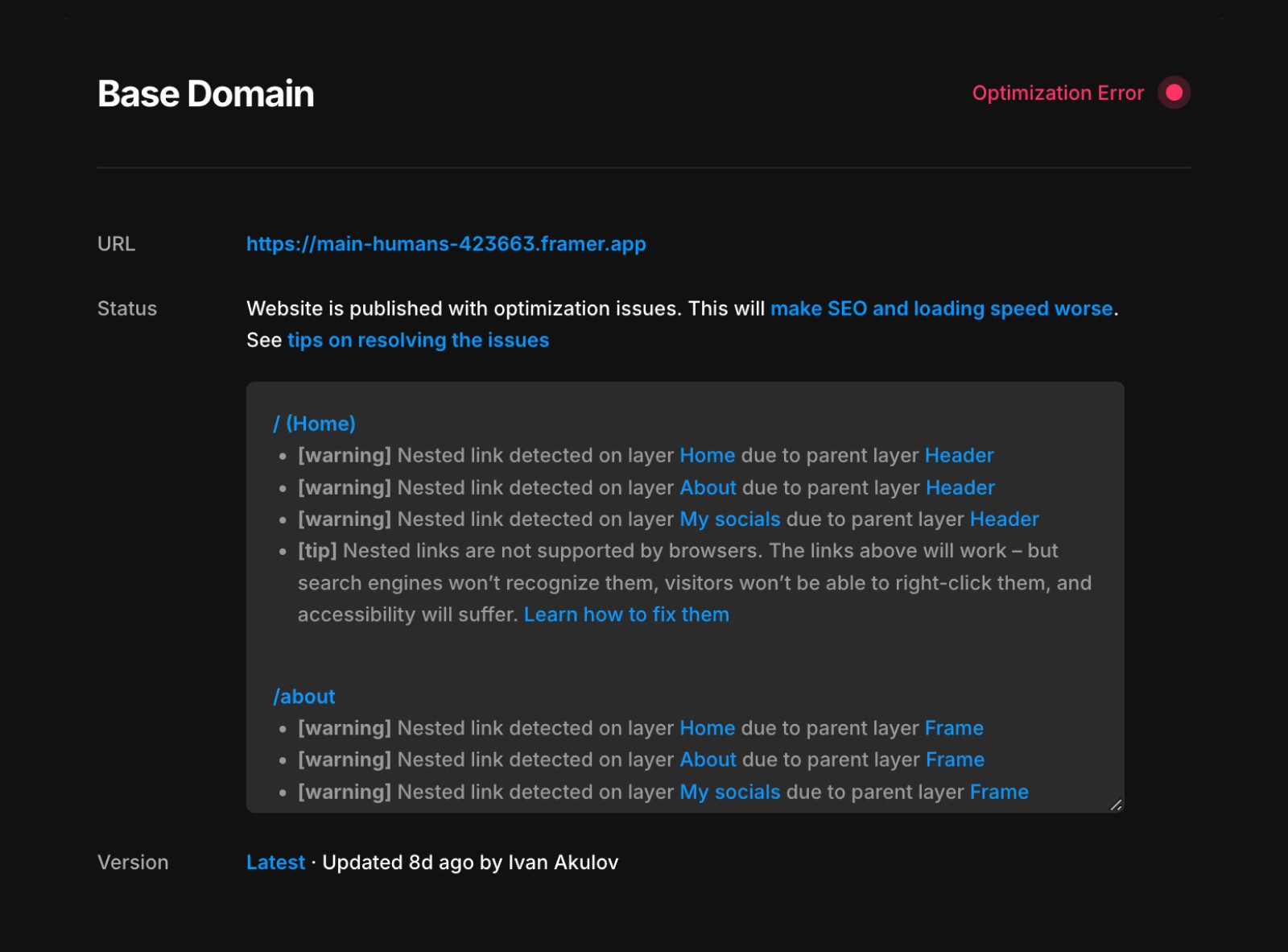
Nested link detected on layer About due to layer Header
How do nested links happen?
Common causes of nested links include:
Adding a link to a layer and then inserting text with additional links.
Adding a link to a layer and then embedding a smart component that contains its own links.
How to fix nested link warnings
When you see a warning, it will highlight both the inner and outer links:
The warning panel indicates the inner link, and the “See layer” option directs you to the outer link.
“On layer” refers to the inner link, while “Parent layer” denotes the outer link.
Steps to fix nested link warnings
Identify the links: Use the warning to locate the problematic links.
Remove one of the links: Usually, it’s better to remove the outer link.
Restructure your design: Ensure links are no longer nested.
Types of nested link warnings
Immediate editor warning
In simple cases, Framer detects nested links immediately and prevents you from publishing until the issue is fixed:
Post-publishing optimization warning
In more complex cases (e.g., CMS content with links, components with fixed links, or overrides introducing links), Framer may detect nested links only after publishing:
What happens:
Framer automatically removes the nested link and replaces it with a placeholder.
Limitations of the placeholder:
Not recognized by search engines.
Doesn’t support long-press (on phones) or right-click (on computers).
Reduced accessibility.
Recommendation: Fix the nested link manually to improve user experience and SEO.
Older warnings
In projects edited before November 2024, you might see older-style optimization warnings:
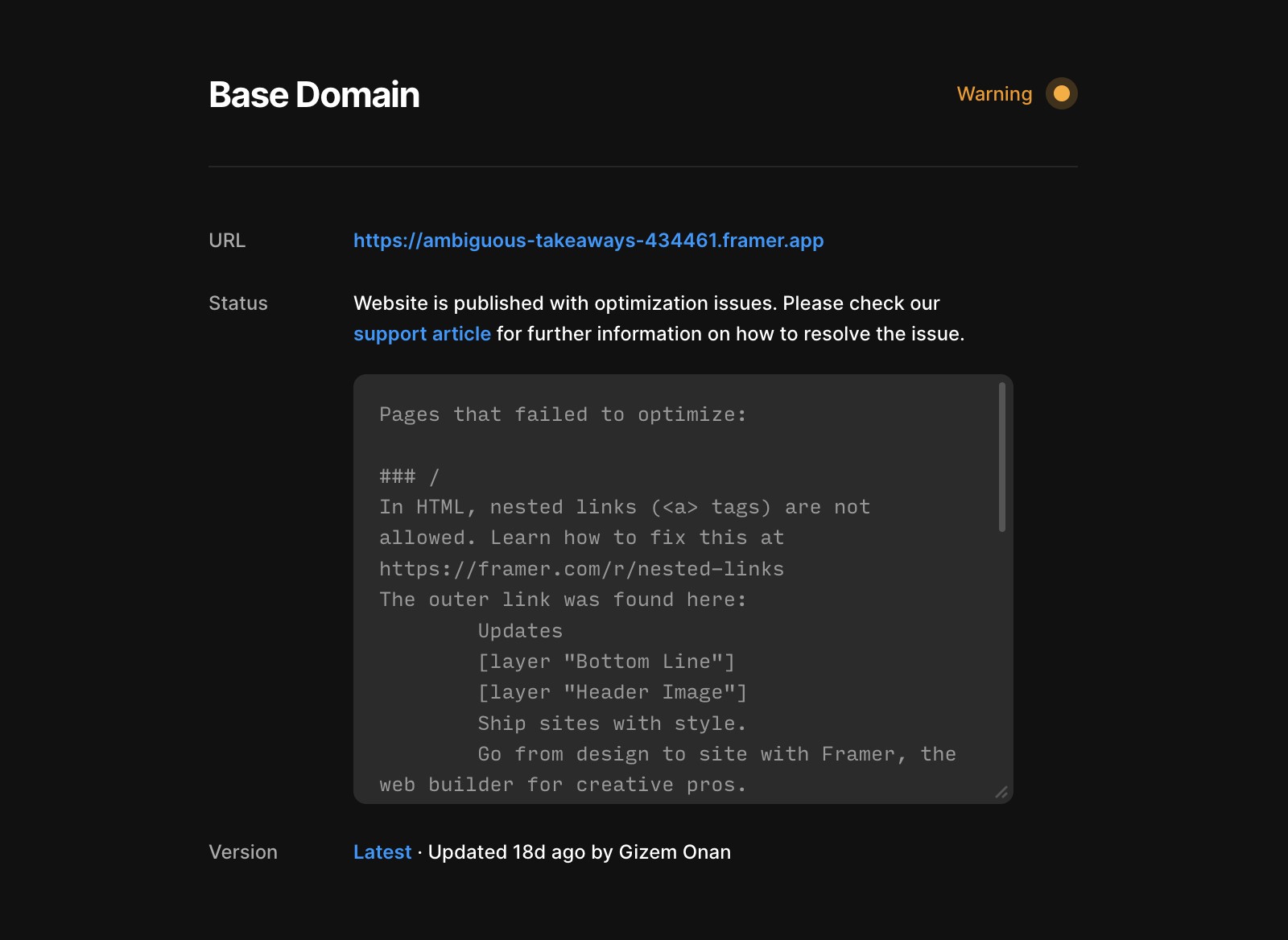
How to resolve these warnings:
Locate the referenced page or component.
Edit the page/component and republish the site.
This won’t eliminate the warning but will update it to the newer format, making it easier to address.
If the problem persists after following these steps, feel free to reach out to us through our contact page for further help.
FAQ
What are nested links in Framer and why do they cause warnings?
A nested link occurs when one link is placed inside another. Since browsers don’t support this, Framer displays warnings when nested links are detected. Examples include adding a link to a layer and then inserting text with additional links, or embedding a smart component that contains its own links inside a linked layer.
How can I fix nested link warnings in my Framer project?
To fix nested link warnings, first use the warning to locate the problematic links. Then, remove one of the links—usually, it’s better to remove the outer link. Finally, restructure your design to ensure links are no longer nested.
What happens if I ignore a nested link warning and publish my site?
If you publish with nested links, Framer automatically removes the nested link and replaces it with a placeholder. This placeholder is not recognized by search engines, doesn’t support long-press or right-click, and has reduced accessibility. It’s recommended to fix the nested link manually to improve user experience and SEO.
