About Aisol Z Corridor
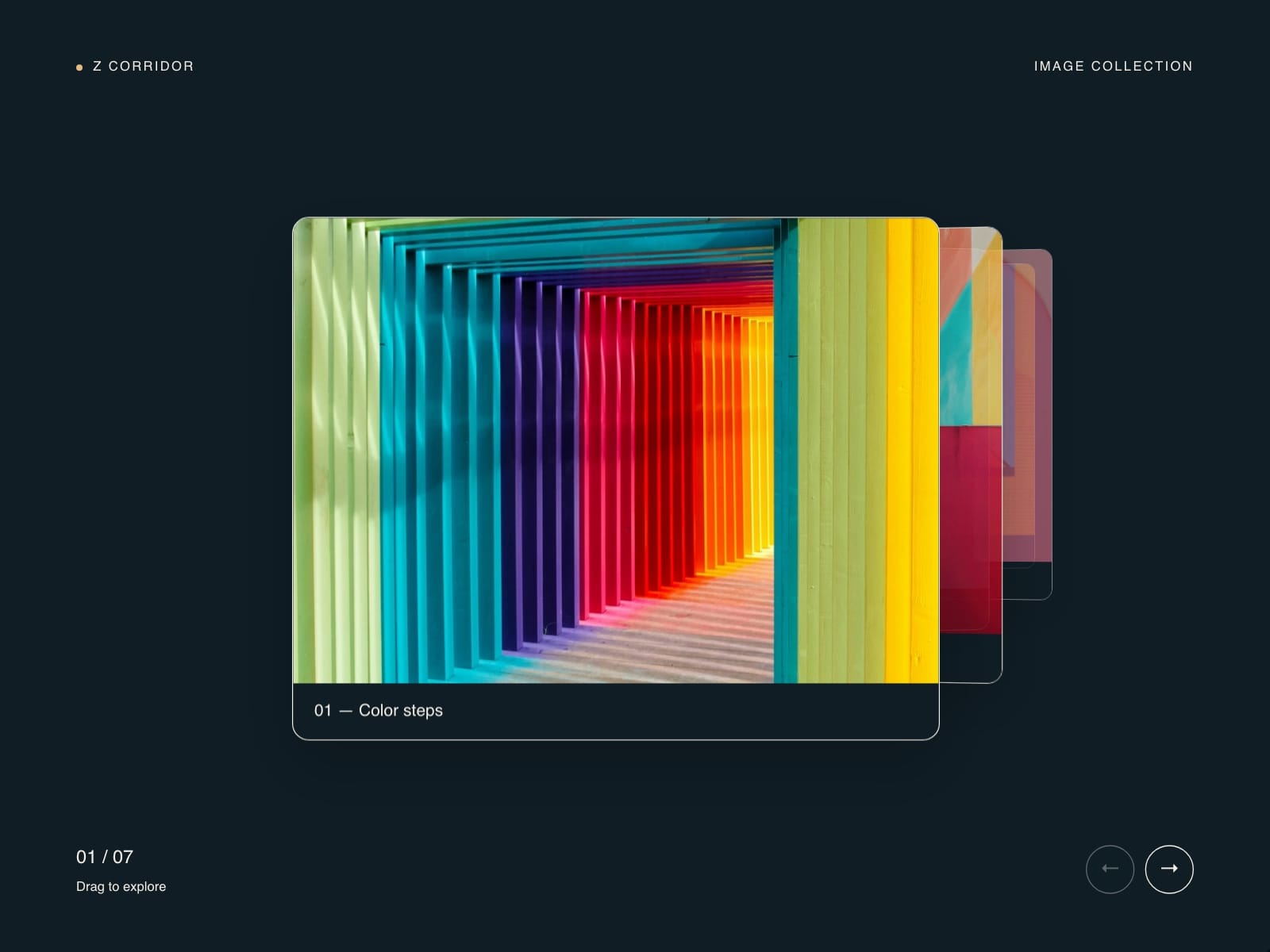
Aisol Z Corridor lines your images along a deep corridor, and each step brings the next one forward out of the distance.
Visitors move with a drag, the arrow buttons, the keyboard or an optional wheel, and the images come from a Collection List or the panel with a caption and link each.
Only the front image is clickable and announced, it rests when out of view, and reduced motion and the canvas show the front image with the rest lined up behind it.
- Pure CSS 3D transforms (no WebGL or canvas), so the images stay as sharp as their source files.
- Images further back fade into the background colour for depth; adjustable spacing and tilt.
- Autoplay option that pauses on hover, focus and when off screen.
What you control
• Images from a Collection List or the panel (image, caption, link)
• Depth spacing, tilt, how many visible
• Autoplay, wheel on or off
• Title, label and hint text, caption style, buttons and colours
Limits: shows up to eight images in depth at a time; wheel control is off by default so the page scroll is untouched; on phones a horizontal swipe moves it and a vertical swipe scrolls the page; with a Collection List the canvas shows the CMS preview items you fill in, not the live list.