
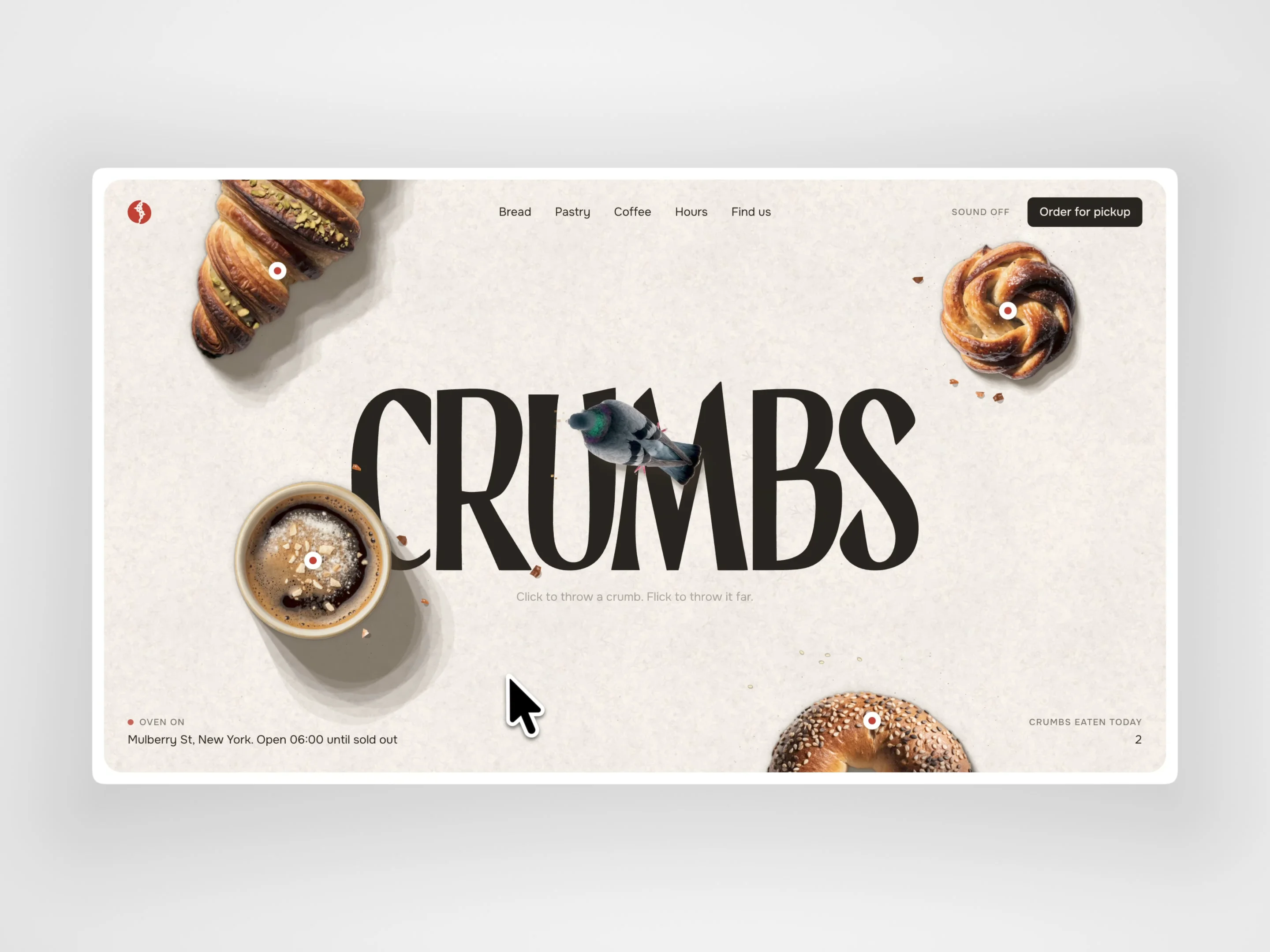
About Cursor Pigeon
A small flock that lives on your page. The pigeon follows your cursor, and every click drops a crumb it runs over to eat. Flick to throw a crumb far. Leave it alone and it coos, wanders around, then dozes off. On its way, the flock shoves aside whatever you put on its table.
How to use
Drop Cursor Pigeon into a section, set it to fill the section and keep it on top. Clicks pass through to your links and buttons.
Build a frame with the objects the birds can push: photos, cards, text, anything. Connect it to the Table slot. Each layer inside it becomes an object. The table is fitted to the component: objects keep their relative positions and scale with the width. Give each breakpoint its own table if the layout changes.
For photos with transparent edges or drop shadows, add a layer named “Hit” inside the object and size it to the visible shape. The birds collide with that ellipse instead of the whole frame.
To hide the system cursor and leave only the crumb, set Cursor to None on the section.
Preview. On the canvas it shows a still frame; it comes alive in Preview and on the published site.
Controls
Size and number of pigeons (1–5)
Crumb cursor
Table: the objects the birds can push
Push Objects: on or off
Crumbs already on the table
Shadow angle
Fly-in entrance, cooing and sleeping
Sound (off by default)
Speech bubble font and colour
Crumb Eaten event: hook it to any interaction
Good to know
The table frame’s own fill isn’t drawn, so put the background on your section.
Nothing outside the component is touched: the birds only move what’s on their table, and all images are bundled, so no external requests.
Works on touch (tap or drag to feed), respects reduced motion, pauses when it’s off screen and is purely decorative for screen readers.
Made by filatov.design. The pigeon comes from CRUMBS, a Web System for a street bakery.


