About Image Locker
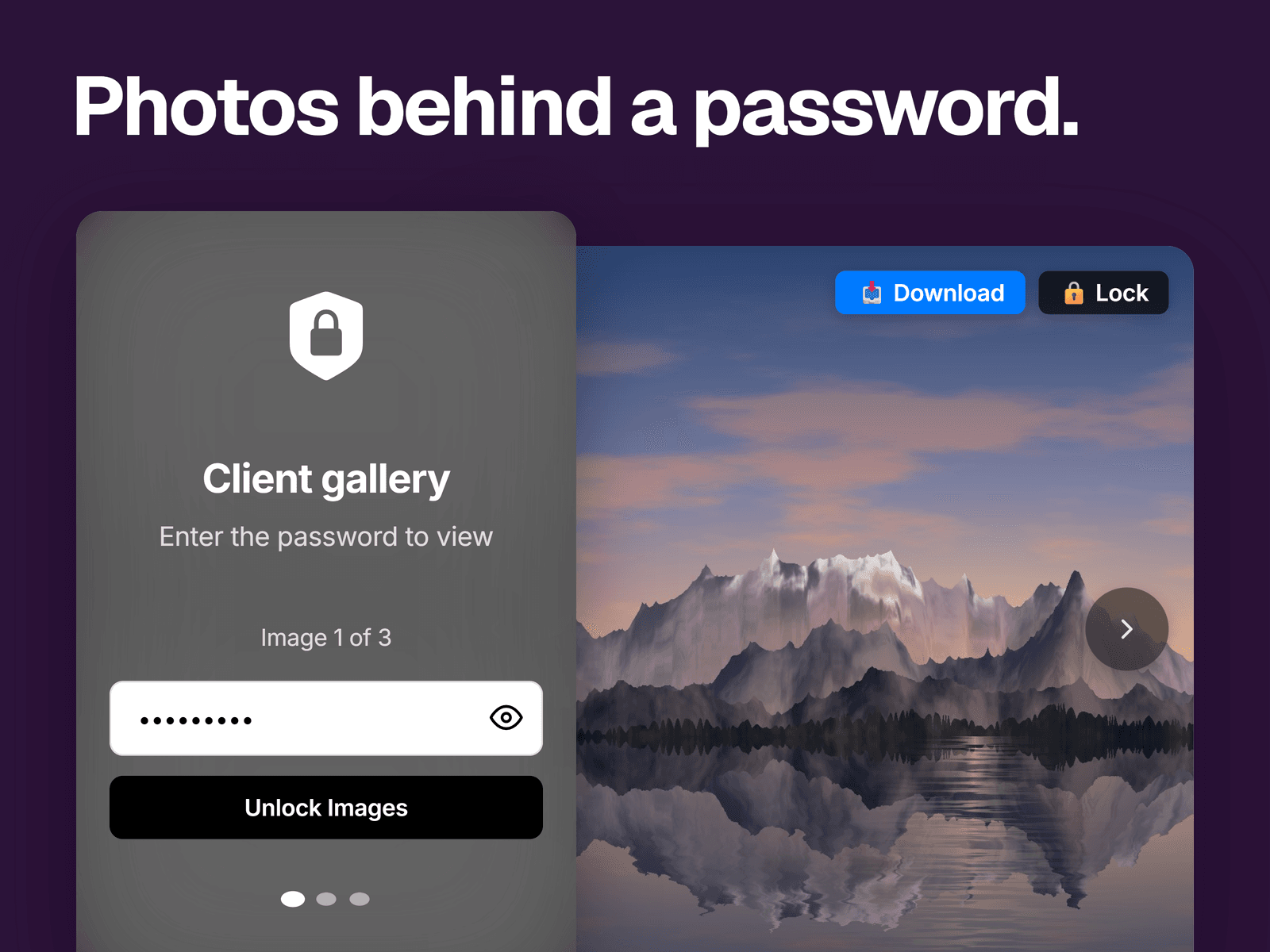
A password screen in front of a set of images. Visitors see a lock, your title and a password field. With the right password, the gallery opens with arrows, dots, an image counter and a button to lock it again.
What you can change
Up to 10 images and one password for all of them, plus optional auto slide and a download button.
The title, description, input placeholder and error message. The show password toggle is optional.
How many wrong tries are allowed, from 1 to 10, and how long the lockout lasts, from 10 to 300 seconds.
Colors, fonts, corner radius, blur amount and animation speed.
Where it fits
Client previews, portfolio pieces you'd rather not show to everyone, and casual members-only images.
Good to know
This isn't real security. The password and image addresses are in the page's code, so anyone who opens the source can find them. Don't use it for anything confidential.
While locked, visitors see your image blurred behind the form. Raise the blur if even its outline should stay hidden.
Remember Session lasts until the browser closes, and each locker remembers its own unlock. Lockouts reset when the page reloads.
The button labels are fixed.