About Panel Wipes
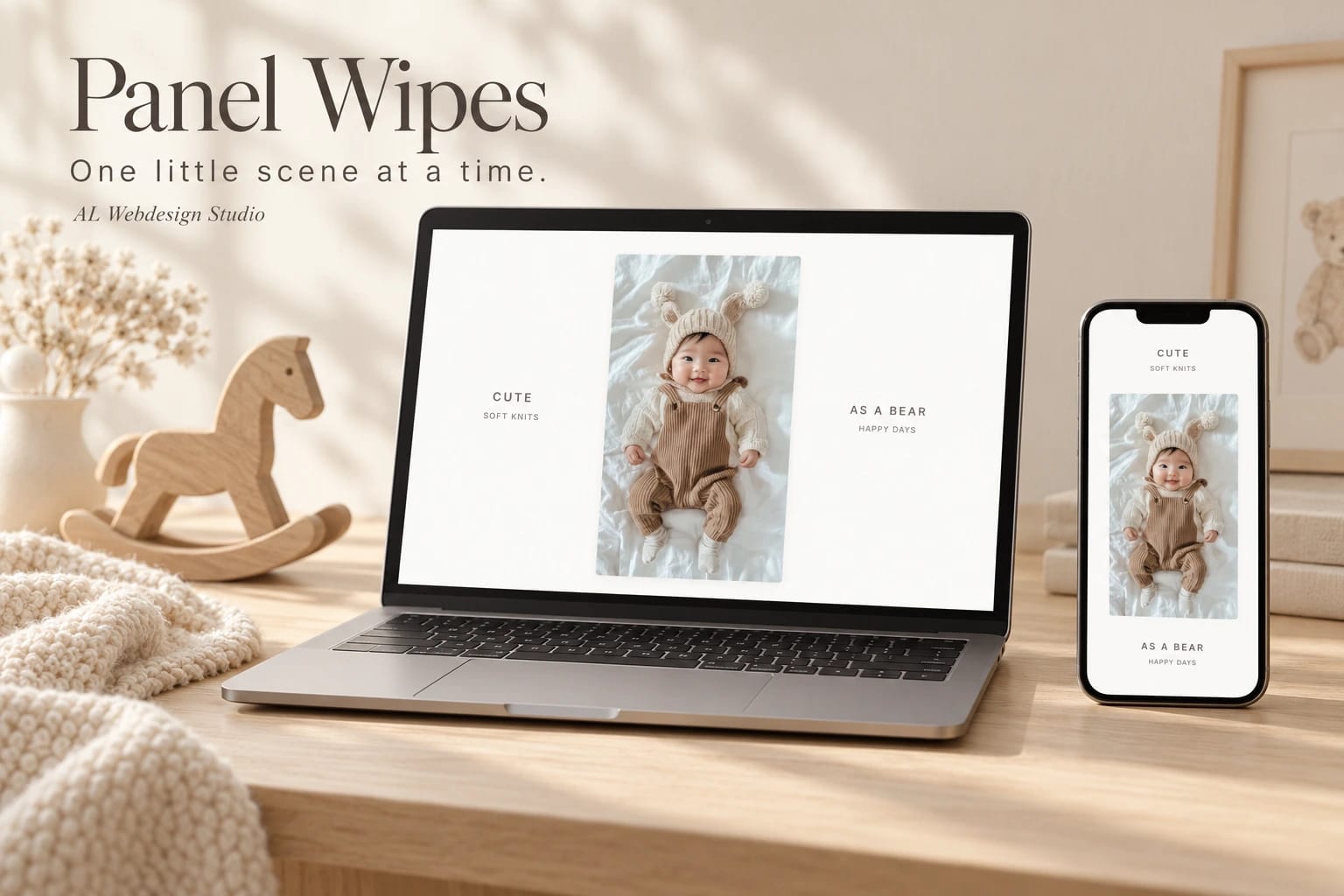
One little scene at a time.
A photograph, a few words, then a new little moment. Scroll or drag to lift the next scene into view. A straight wipe travels upward while the words move with it; reverse your movement to return to the photograph before.
Build up to twelve scenes with your own photographs, alternative text, title pairs and captions. Set each photo's ratio, then adjust its size, corners, fonts and colours in Framer. Wide screens place the words beside the photograph; portrait phones move them above and below.
Choose the scroll distance and how gently each scene settles. Keyboard visitors can move between panels or jump to the first and last. Reduced motion keeps direct control while removing smoothing, release inertia and automatic snapping. Each instance works independently and rests outside the viewport or in a hidden tab.
Use a full-screen presentation or a section with a set height. Text and appearance edits preserve the current transition without reloading the photographs. The Framer editor shows your chosen still scene without interactive controls.
Includes this single Framer code component, matching editable source, a setup guide, two customisation prompts and a commercial licence for one finished project. No shared development project or access to other components is included. Demo photographs are AI-generated examples only; replace them with your own properly licensed images before publication or marketing.
By AL Webdesign Studio.