About Sticky Notes
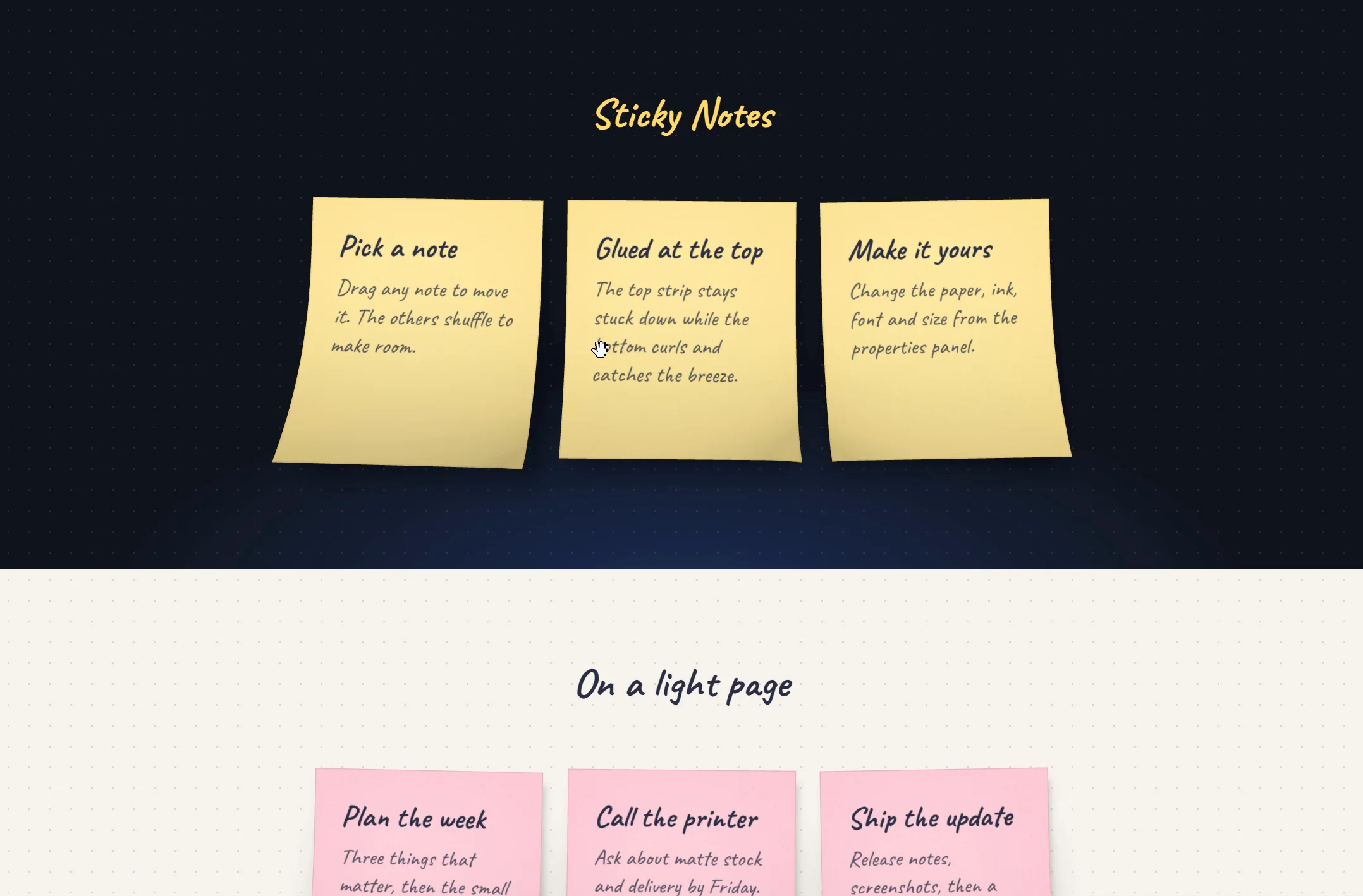
Sticky Notes puts real paper notes on your page. Each note is drawn in 3D: the top strip stays glued to the wall while the bottom edge curls away, flutters in a light breeze and leans towards the pointer on hover. Drag a note and the others shuffle to make room, or tab to a note and move it with the arrow keys.
Use it for portfolio boards, how-it-works rows, testimonials, to-do lists, or anywhere a page could use a handwritten touch.
What you can change:
Notes: a title, body and optional colour for each note
Paper: Canary, Pink, Mint, Sky, Kraft or any custom colour, plus texture, shadow and a dog-ear corner
Text: any font from Framer's font picker, ink colour and alignment
Layout: note size and shape, gap, columns, alignment and tilt
Motion: curl, wind, hover lean, the entrance animation, and rearranging on or off
Built to behave: no external libraries, keyboard and screen reader support, respects reduced motion, stays still on the Framer canvas, pauses when scrolled out of view, and shows plain notes where WebGL isn't available. Use as many boards on one page as you like.
Tip: a handwriting font such as Caveat suits the paper best.