About Store Distance
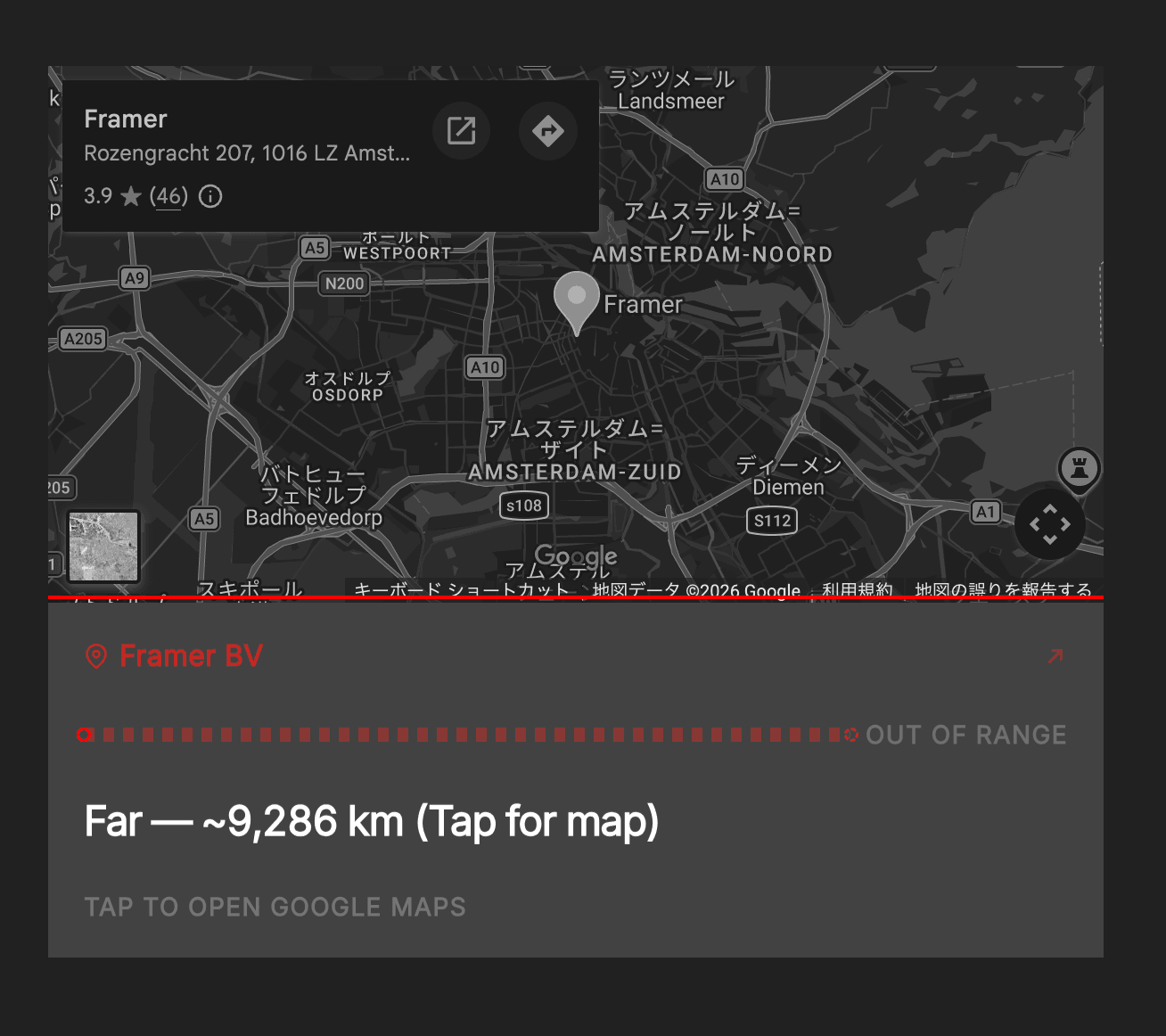
Show visitors how far they are from your store using their current location. A clear distance readout, proximity bar, and out-of-range state help them decide whether to visit — then open Google Maps for directions.
Drop it under a map or next to your address block. On tap, it reads the visitor’s GPS position, shows live distance, and can open Google Maps for navigation.
What it does
Live distance from the visitor to your store (m / km)
Proximity bar that fills as they get closer
Out-of-range state when they’re too far
Distance-based messages (walk / drive / far, fully editable)
One-tap Google Maps directions
Editable labels, colors, typography, and effects to match your brand
Canvas Preview to design Idle / Locating / Near / Out of Range without GPS
Best for Restaurants, shops, clinics, studios, pop-ups — any site where “How far am I?” matters.
Customizable properties
Location Store Name · Latitude · Longitude · Place ID · Bar Range · Custom (km) · Out of Range · Range Label
Status Labels Header · Header After Tap · Idle · Locating · Error · Footer (Idle / Locating / Active / Error)
Distance Messages <1km · <5km · <10km · <100km · <500km · ≥500km Tokens: {min} {km} {m} {store}
Distance Color Color by Distance · Near/Mid thresholds · Near/Mid/Far colors
Typography Font · Main/Header/Footer size & weight
Colors Header · Main · Footer · Accent · Background · Line Track
Layout Corner Radius · Padding · Inner Gap · Bar Thickness · Dot Size
Effects Luster · Shadow (intensity / size / spread / color)
Canvas Preview Auto · Idle · Locating · Near · Out of Range