About Take Turns
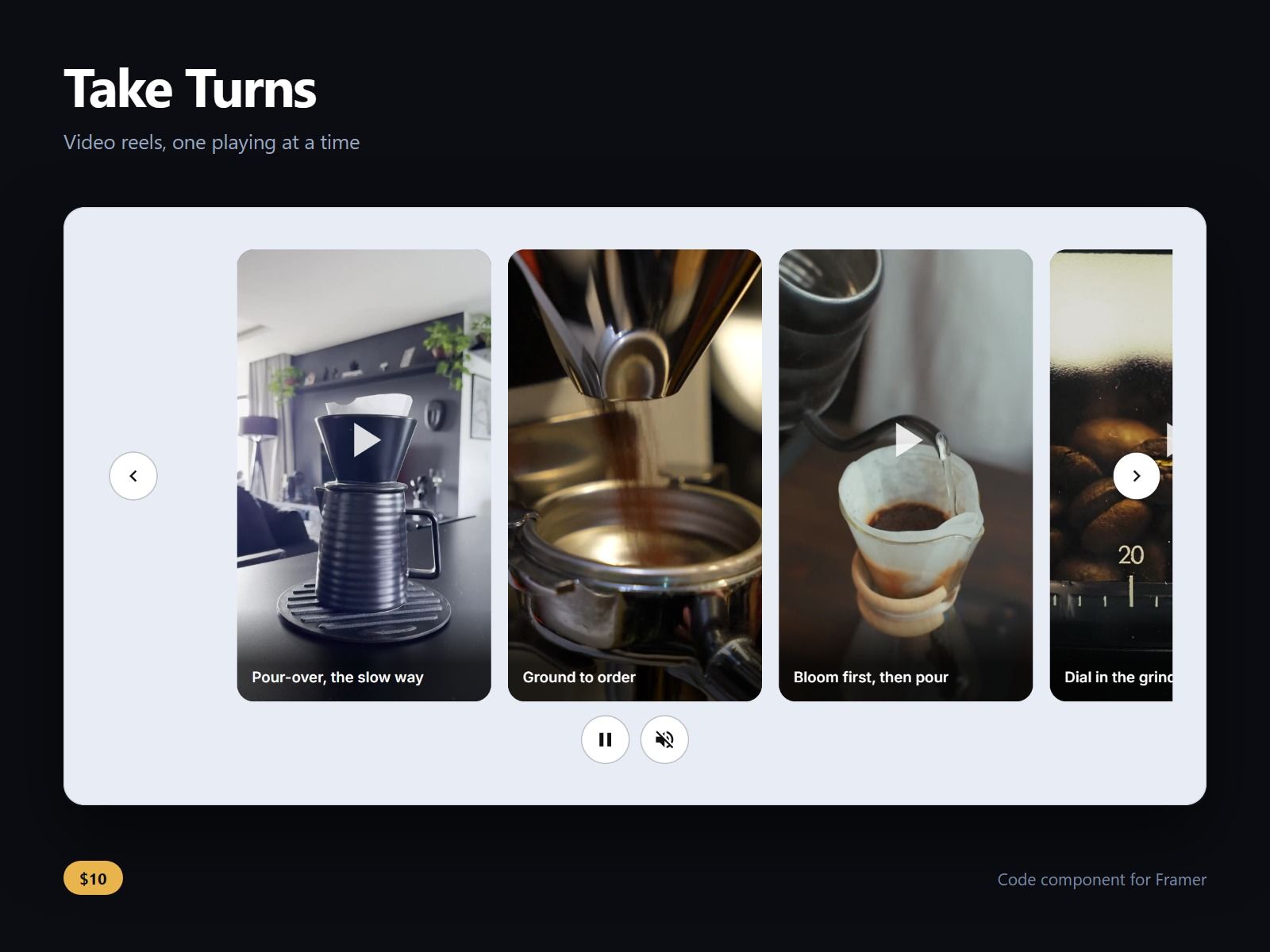
A row of short video clips that take turns: the clip in the middle plays and the others show their posters. Swipe or scroll, or use the arrows on a desktop, and the next one takes over. Vertical 9:16 by default, or 4:5, 1:1 and 16:9.
Only the clip in the middle loads its video. It pauses off screen and in a hidden tab, autoplay waits for a press under reduced motion and data saver, and there is always a Pause button.
One Sound button for the row, turned on by a tap and kept from clip to clip. A play the browser refuses becomes a Play button on the clip, never a frozen frame; a refused clip with sound plays muted instead.
Tap a clip to watch it full screen with sound: Close, arrows, swipe, Escape, Home and End, focus moved in and back, the page behind held still. With the Viewer off, a tap on the playing clip turns its sound on or off.
Each clip takes a video (MP4 with H.264 is the safe format; WebM may not play in Safari), a poster, a caption, a captions file (.vtt) and a link. Captions show by default and CC hides them. Buttons are 44 px or larger.
Aspect, tile width, gap, radius, autoplay, caption on tile, the Sound button, the viewer, every colour and both fonts and sizes are controls. Until you add clips the canvas shows sample tiles.
After purchase you receive the component URL. In Framer, select a frame and paste it (Ctrl+V or Cmd+V), then add your clips in the Clips list.
Licence: yours to use on your own sites and on client sites, commercially, with no attribution. Not for resale or redistribution: do not share the component URL, and do not publish the component or its code anywhere, paid or free. Full terms arrive with your purchase. Questions: me@majedesigns.dev