About Waffle Chart
Waffle Chart for Framer
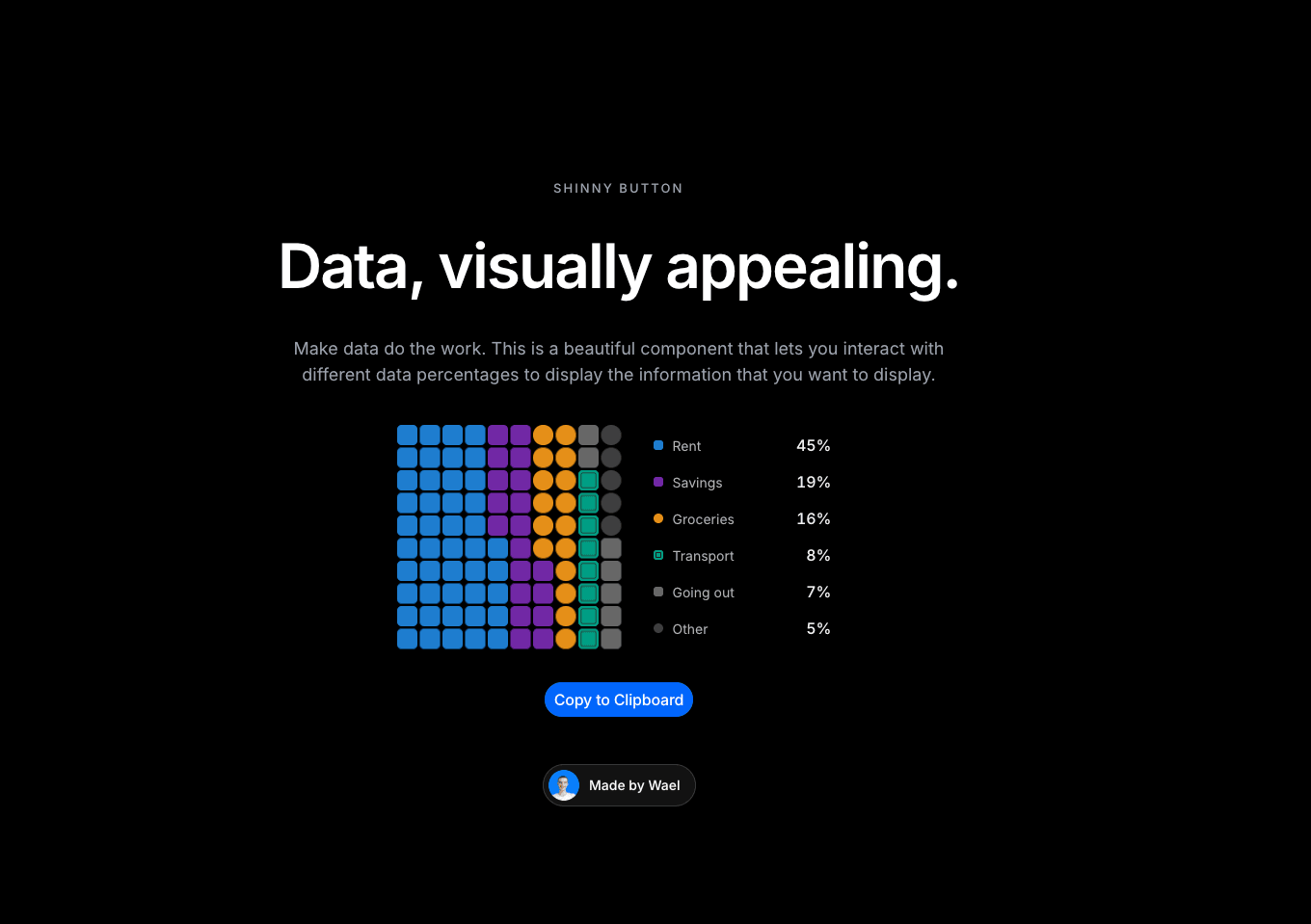
What it is A unit chart where every cell is one share of the whole. Parts of a total become countable squares — 10 × 10 by default, one per percent — so a budget, a survey result or an energy mix reads as something you can count instead of a slice you have to estimate.
Why you need it
- Cells that arrive, not appear. The grid fills column by column from the bottom-left as it scrolls into view, so the whole reads before the parts do.
- Changes travel. When the numbers change, cells lift out of one category and land in another instead of repainting the grid.
- Every cell is readable. Hover or use the arrow keys and a gliding tooltip follows the cell you're on. Page Up and Page Down jump between categories, Home and End reach either end.
- The legend does the math. Click a category to pin it, dim the rest and roll each share to its new value. Neutral categories also differ by cell shape, not just color, so they stay distinct without relying on hue.
- Yours to style. Set the categories with optional custom colors, unit, rows and columns, accent first, decimals, legend, grid width, cell radius, an empty label, Light or Dark theme, four series colors and your own font. Fire the On Active Change event when someone picks a category.
- Accessible by default. The chart is a keyboard-navigable group with a live reading for screen readers and a full data table behind it.
How to use it
1. In Framer, go to Assets → Code → + New code file.
2. Name it WaffleChart, paste the code below and save.
3. Drag the WaffleChart component onto your page from the Assets panel.
4. Set the categories, unit, rows, columns, accent first, decimals, legend, grid width, cell radius, theme, series colors and font in the properties panel.
5. Publish your site.
Need help? Email me at wailelmachti6@gmail.com and I'll help you get set up.
Built something with it? Share it and tag me on X: https://x.com/Waeldesignz. I'd love to see it.
Made by Wael