About Waypoint Road
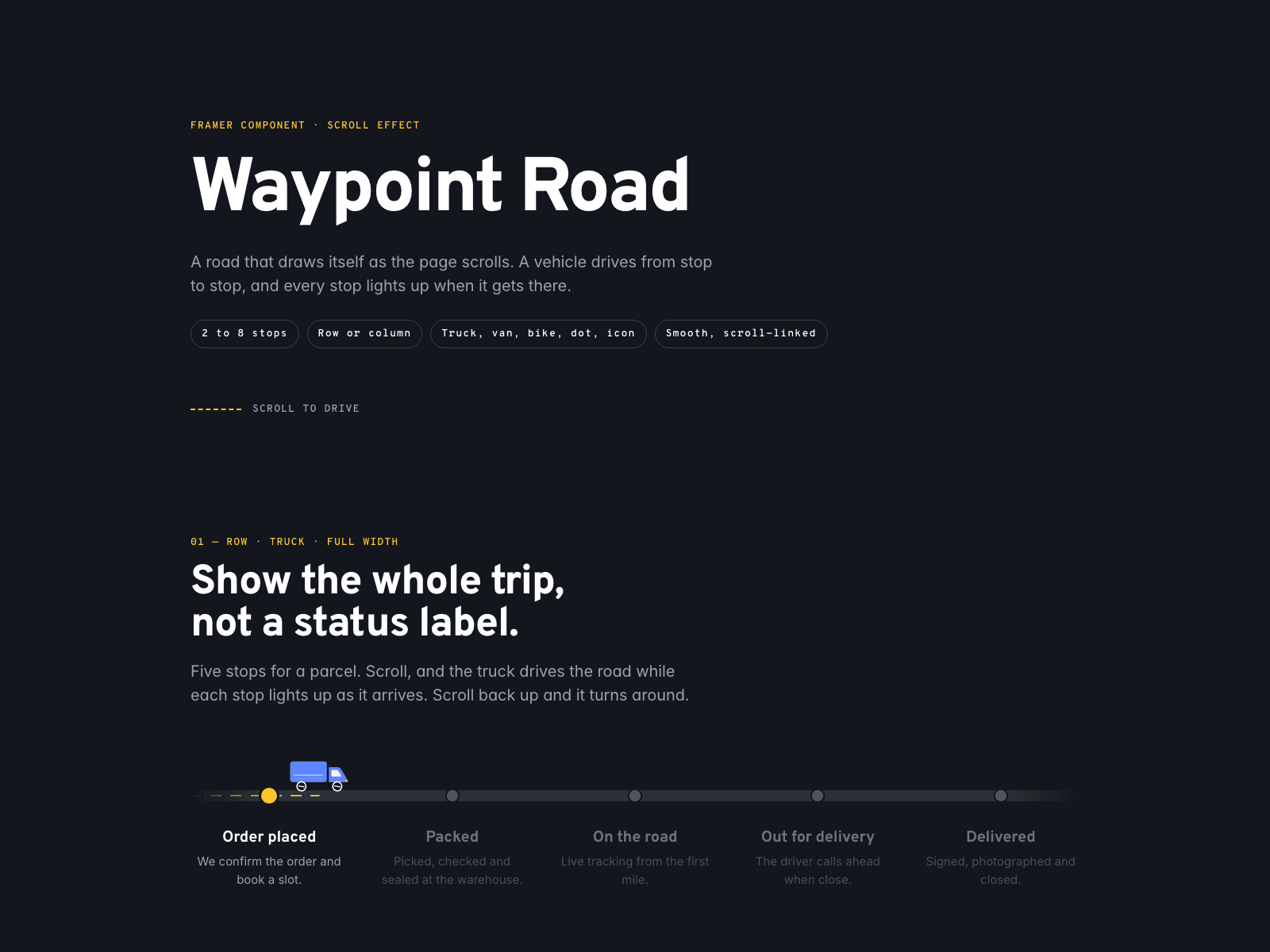
Waypoint Road turns a list of steps into a trip. As the page scrolls, a road draws itself, a vehicle drives from stop to stop and every stop lights up when it arrives. Scroll back up and the vehicle turns around.
Use it for order tracking, a "how we work" process, a product roadmap or an event schedule. Pick a truck, a van, a courier bike, a simple dot or upload your own icon. On wide layouts the road runs in a row; when the component gets narrow it turns into a column by itself, measured on the component, not the screen.
2 to 8 stops with label and caption, and optional step numbers.
Layout: Auto, Row or Column, with the switch width you choose.
Vehicles: Truck, Van, Bike, Dot or your own image.
Road with a dashed or solid center line that draws itself.
Stops with their own colors, ring and a soft pulse on arrival.
Pause at each stop, spring smoothing, start and end points on the screen.
Reduced motion keeps the road finished and still.
No external scripts or packages.
How to use: after purchase you receive the component link. Copy it, click the canvas of your Framer project and paste (Cmd+V or Ctrl+V). Then set the width to Fill and edit your stops.
User guide (PDF): https://framerusercontent.com/assets/d1rfVENxtf8IvPmdItkpXklxdQ.pdf
One purchase covers one website. Questions and help: info@litchisolutions.com