About Bento Shuffle
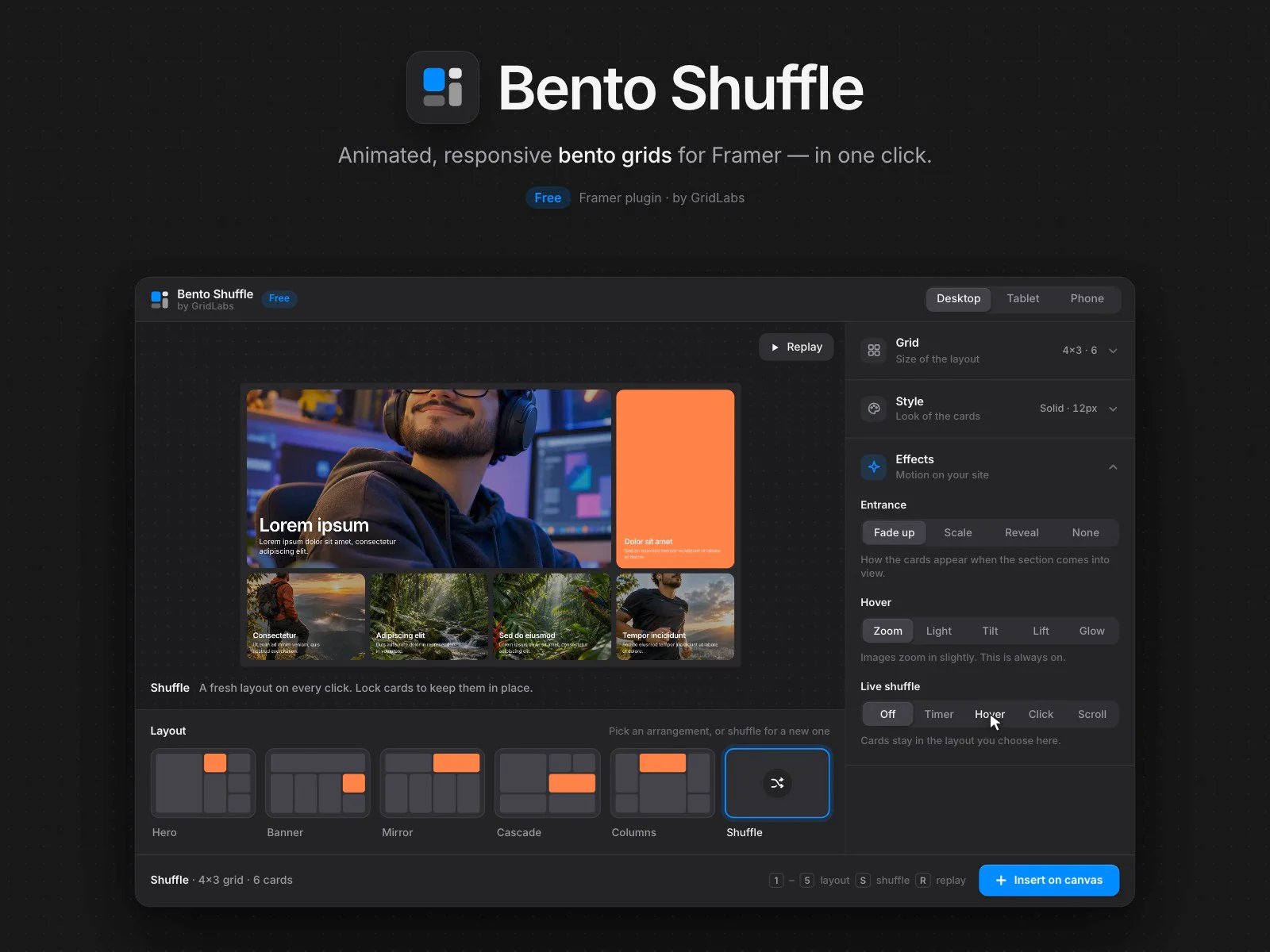
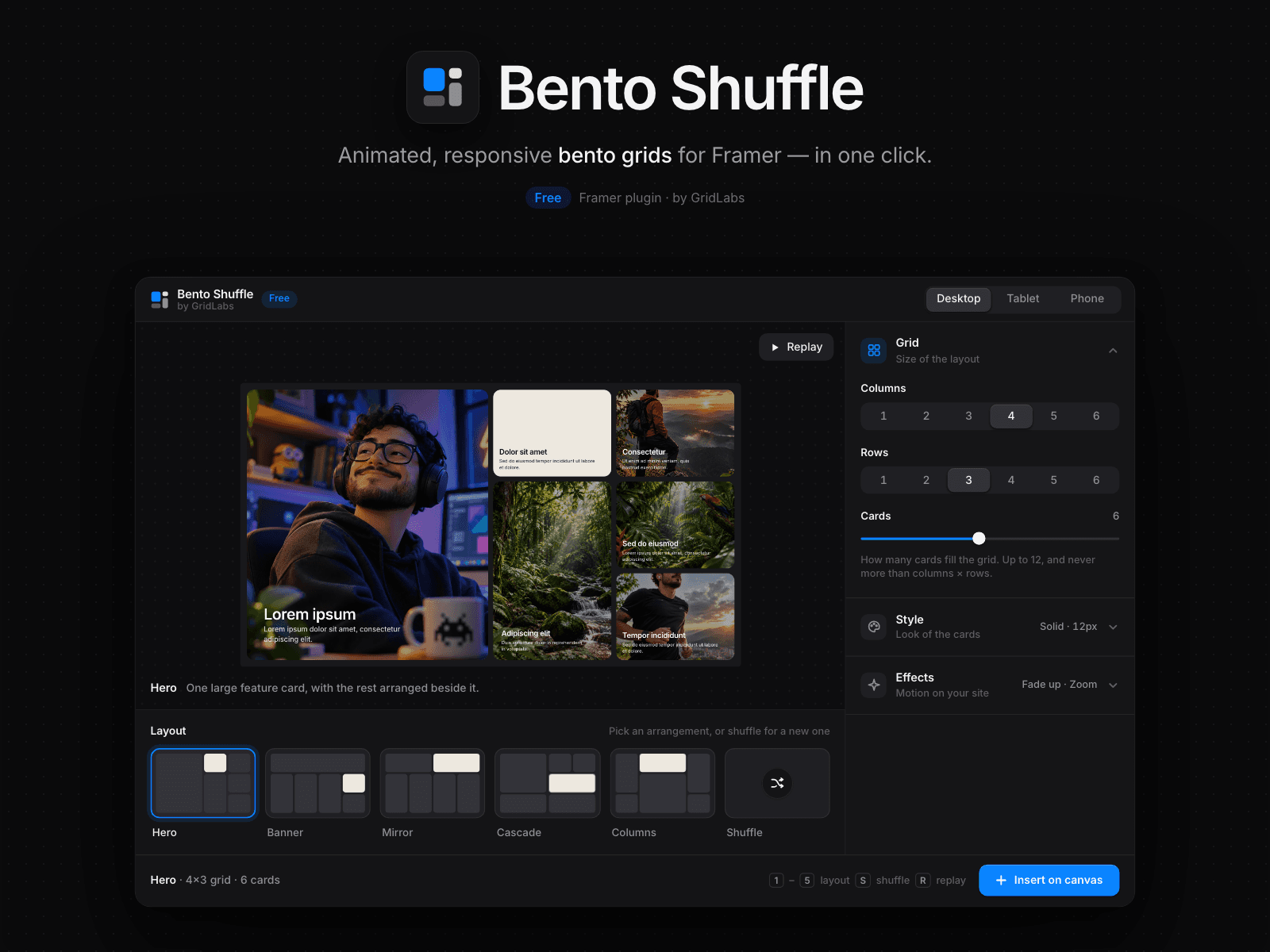
Bento Shuffle builds bento grid sections for your Framer site in seconds. Set the columns, rows and number of cards, pick one of five layouts — Hero, Banner, Mirror, Cascade or Columns — or hit Shuffle for a fresh arrangement every time. Lock the cards you like and shuffle the rest.
Preview everything live before inserting: desktop, tablet and phone, plus the entrance animation. When it looks right, click Insert on canvas and the Bento Grid lands on your page, full width and ready to edit.
What you get
5 smart layouts + Shuffle, up to a 6×6 grid and 12 cards — never gaps or overlaps
Lock cards to keep them in place while you shuffle
Image cards with a 35% overlay, title and text, plus one accent card in a solid color
Card styles: Solid, Outline, Glass, Shadow and Brutal, with gap, padding and radius controls
Accent colors from your project's Color Styles
Entrance animations: Fade up, Scale or Reveal
Hover effects: image zoom, Light, Tilt, Lift and Glow
Live shuffle on your site: on a timer, on hover, on click or as visitors scroll
Responsive by default: rearranges itself for tablet and phone
Every card's image, title and text stays editable in Framer's properties panel
Good to know
Animations play in Preview and on your published site; the canvas shows the static layout.
The panel follows Framer's light or dark theme.
Free. Made by GridLabs.