About Profeed LinkedIn Feeds
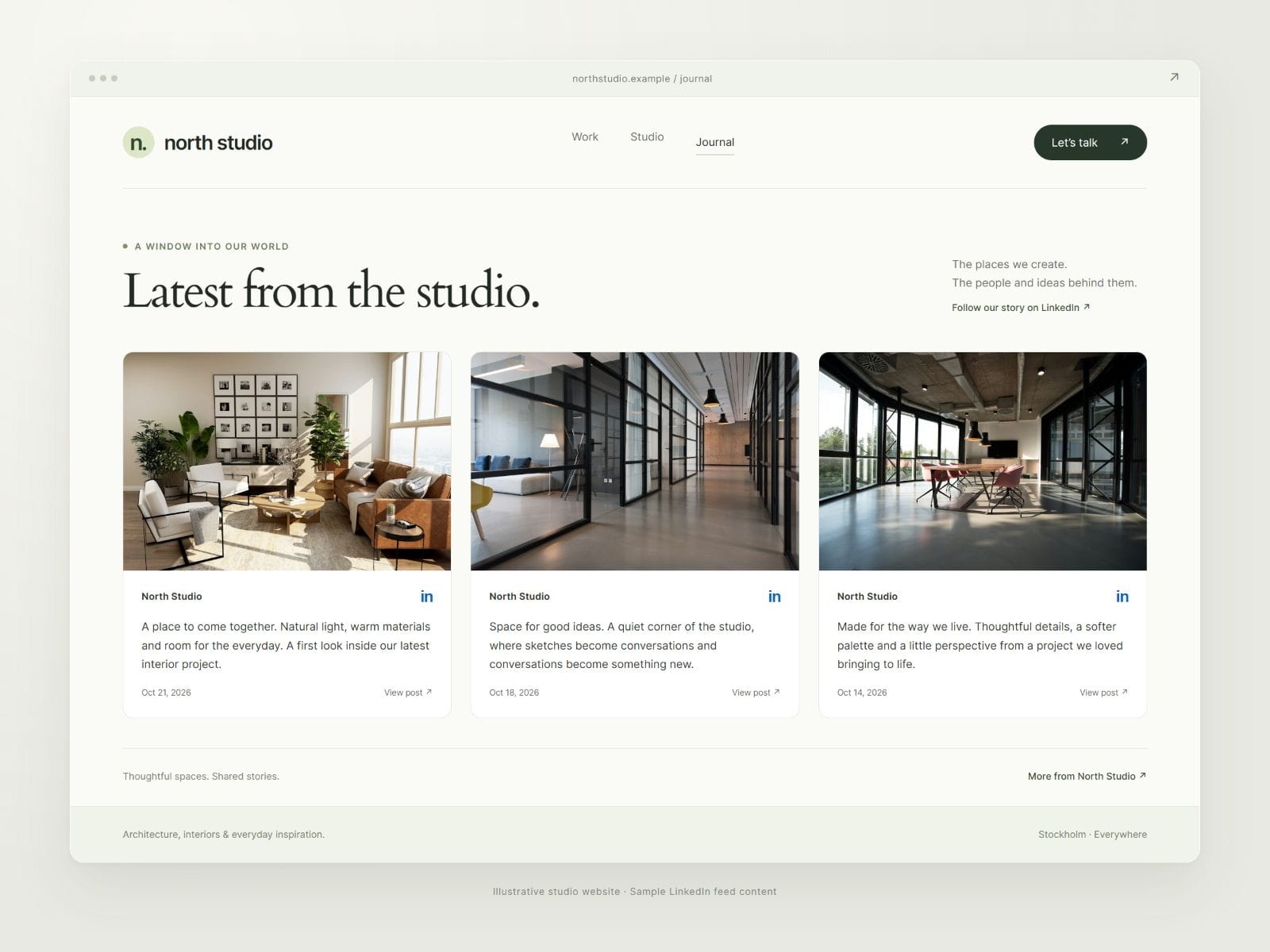
Turn your LinkedIn Page into a beautiful feed for your Framer website. Add it to your page, find your look and connect your posts—all from one plugin.
Get started in three steps
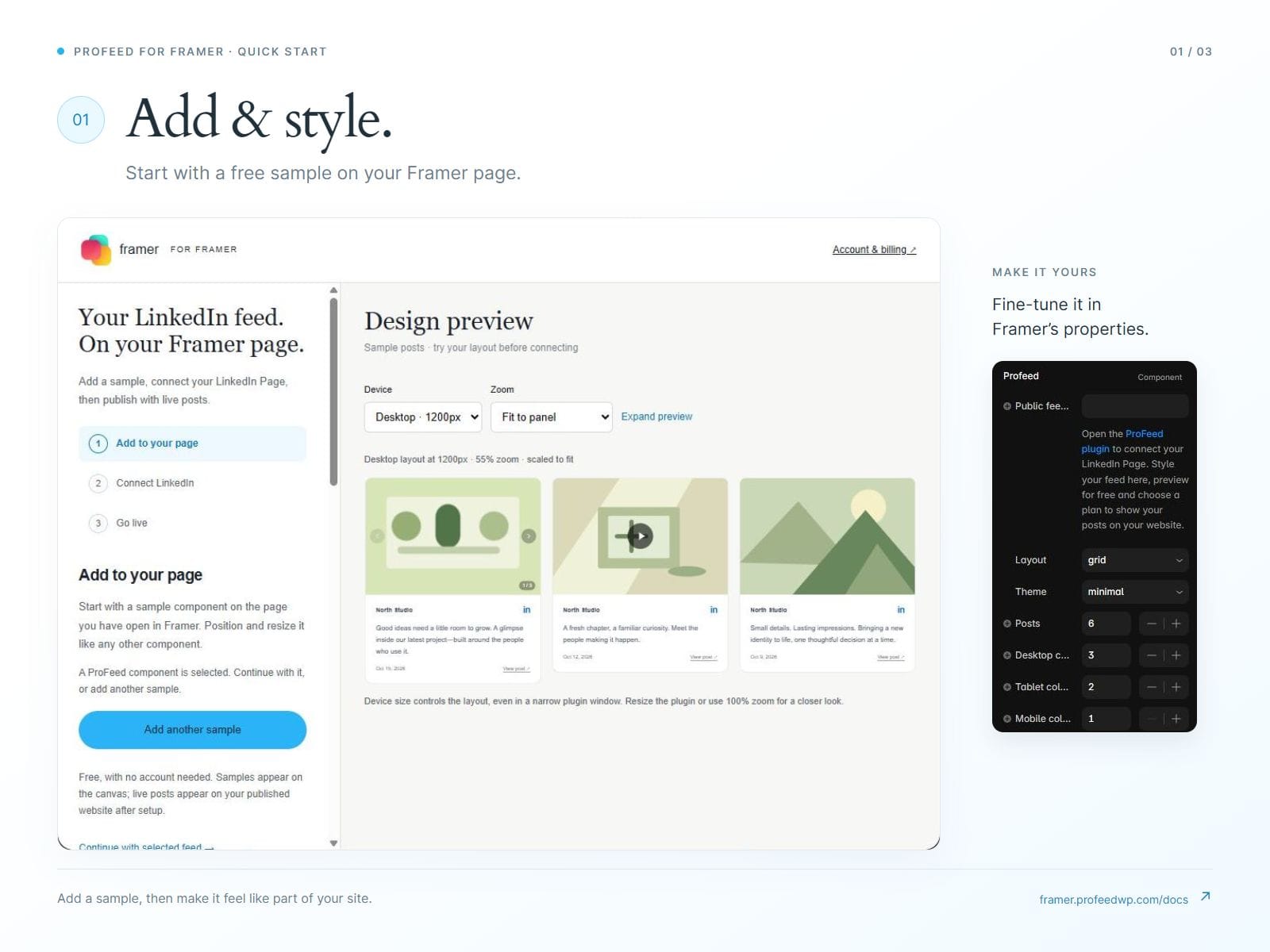
Add & style. Open the ProFeed plugin and click Add to this page, or select an existing feed. Choose your layout, theme and finishing touches.
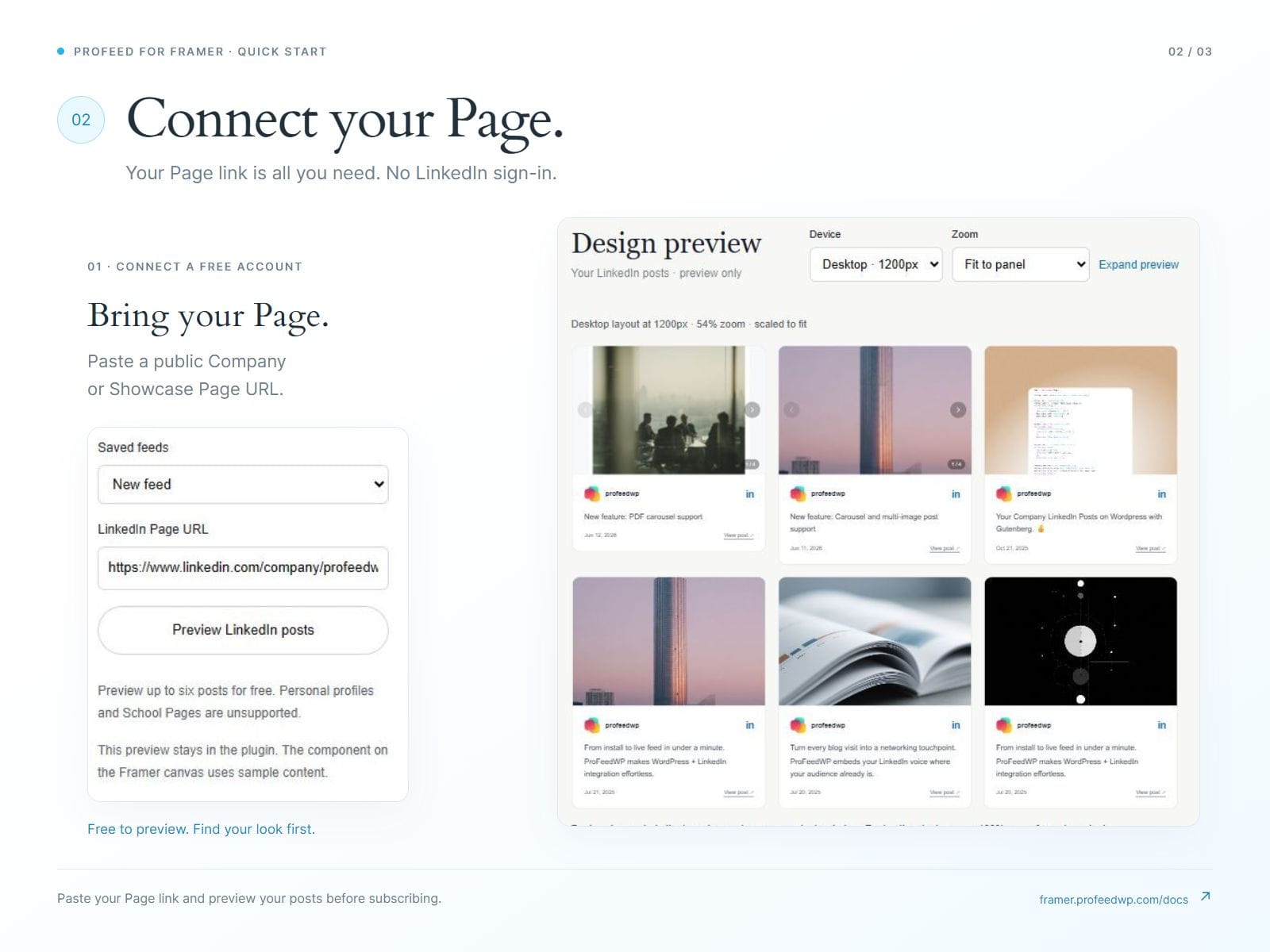
Connect your Page. Connect a free ProFeed account, paste your public LinkedIn Company or Showcase Page URL and preview your posts. No LinkedIn sign-in needed.
Publish your feed. Choose a plan, click Connect selected feed, then publish in Framer. Your LinkedIn posts appear on your published page.
Find your look with Grid, List, Carousel or Masonry, and Minimal, Social or Dark themes. Make it yours with responsive columns, colors, spacing, corners, media and text controls—right inside Framer.
Try it free. Publish when you’re ready.
Try layouts and preview your posts for free. A subscription brings your feed to your published website, from $9/month or $90/year for one site. View plans and pricing →
Prices are in USD; applicable taxes may apply. Subscriptions renew automatically. Cancel renewal in your account; access continues through your paid period. Payments are securely handled by Stripe outside Framer.
Design with sample posts on the canvas, preview your Page in the plugin and see your actual posts on your published website. New posts are collected on a three-hour schedule, subject to public source availability.
See the illustrated setup guide · Explore layouts in the demo · Your account · Privacy · Terms · Need a hand? Contact support