About Vendable
Connect your Framer site to a Vendable location and sell from it: products, combos, gift cards, and bookings for tables and services. Your catalogue arrives as CMS collections, so every item can have its own page in your design. Prices and availability are read live from Vendable each time a page loads, and payment happens in Vendable's hosted checkout.
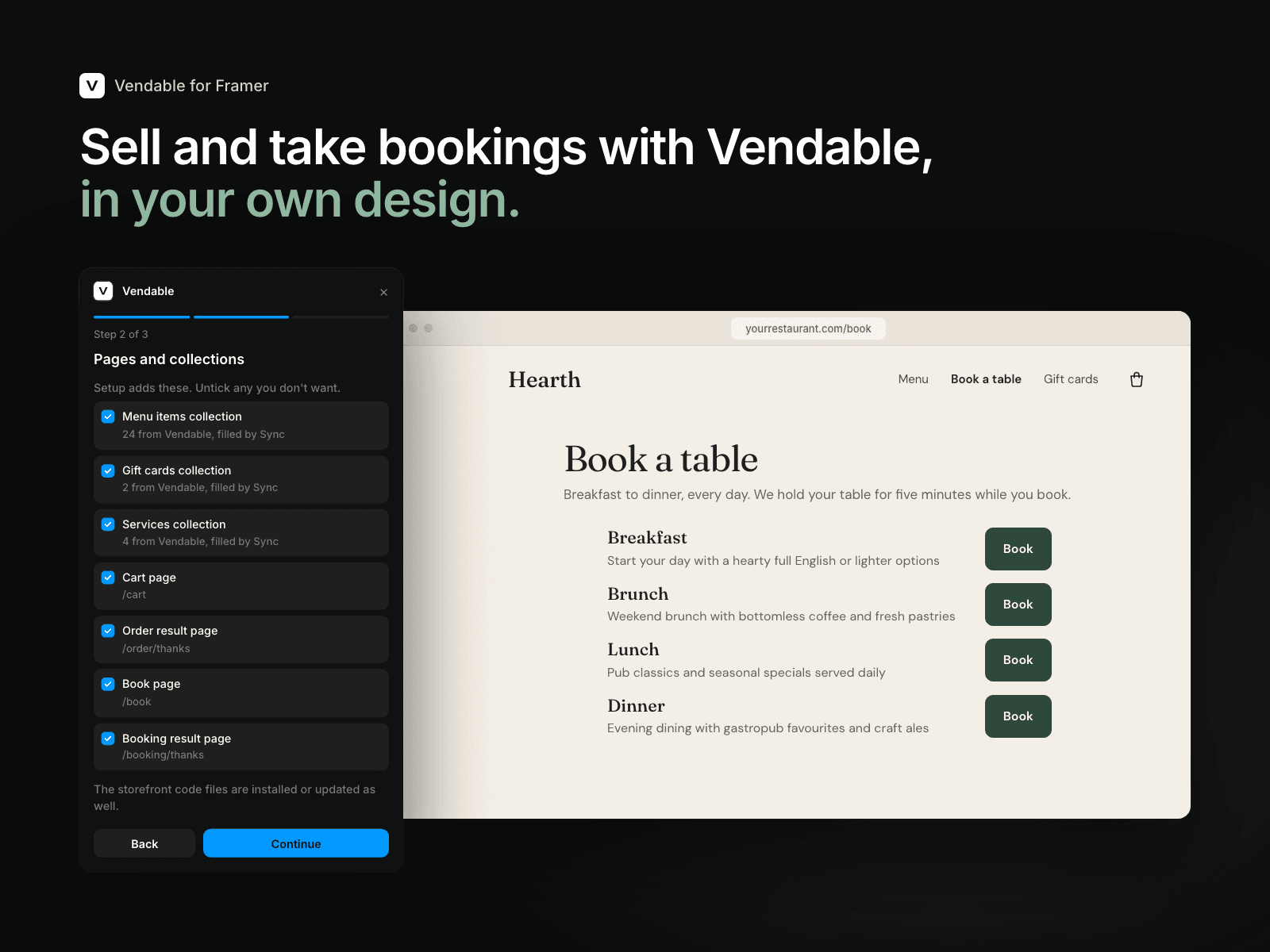
- Setup in three steps: connect your location, choose the pages and collections to add, then check the look. Components take your site's own fonts and colours, checked for contrast so text stays readable.
- CMS collections for your menu, combos, gift cards and bookable services. Press Sync in the CMS to bring in changes, then publish.
- Ready-made components: add to cart, a cart button that opens the cart in a drawer, cart and order pages, gift cards, and a booking flow with guests, date, time and a held slot.
- Your own designs: wrap a card you've drawn in Vendable Product, and give its price and button layers the withPrice and withAddToCart overrides.
- Pick from your catalogue: select a Vendable component on the canvas and choose what it shows from a searchable list.
- Updates: when a new version changes the code in your project, the plugin says so and updates it in one click.
You need a Vendable account with a location. To sell online, turn on the location's online checkout in Vendable HQ.